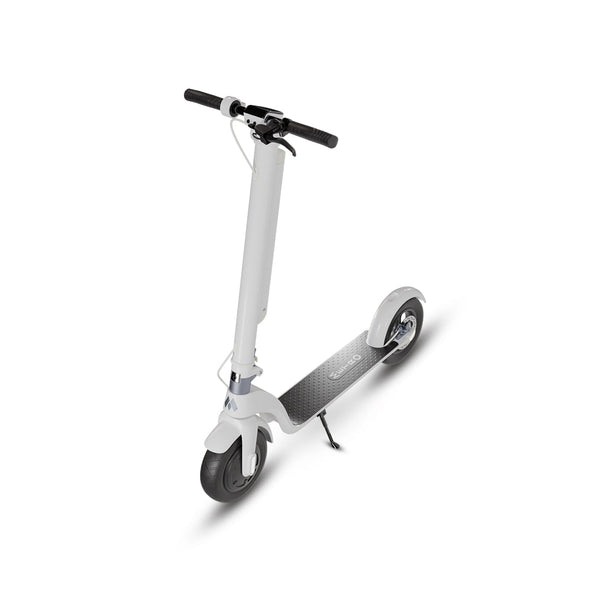
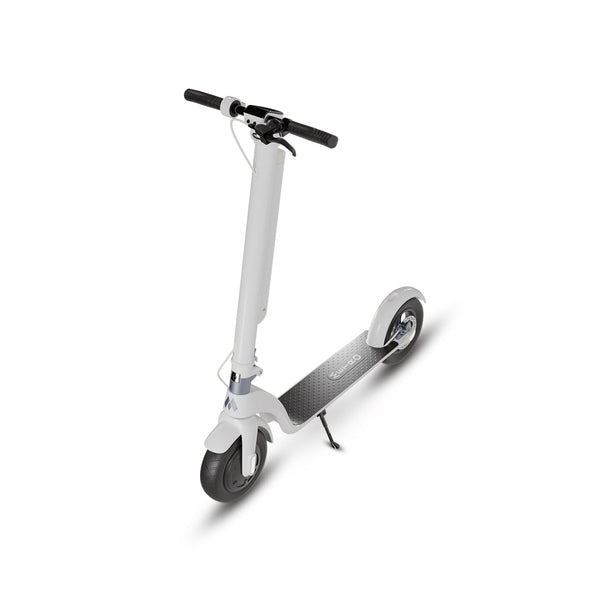
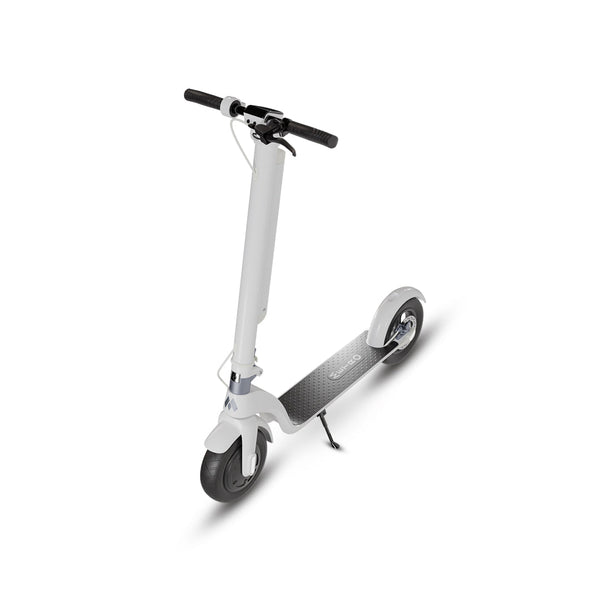
Not all scooter apps are built the same, and most prove that the moment you open them. The electric scooter app you pair with your ride shapes how much you actually get out of it every single day. Some apps connect, show a speed number, and stop there. Others barely maintain a stable Bluetooth link.
The Metro+ electric scooter app is different. It is a full control suite built specifically for METRO City and City Pro riders. You get remote security, live battery diagnostics, three ride modes, AirTag recovery, and over-the-air firmware updates, all free, all unlocked from day one.
We built this guide to walk you through each feature in plain language. We also cover how it looks on iOS versus Android, how it compares to what other brands ship, and how to get your scooter paired in under two minutes. If your METRO City is on its way, start here.
What the Metro+ Electric Scooter App Does
Metro+ is free to download, requires no subscription at any point, and ships with every METRO City and City Pro purchase. It is not an afterthought bolted on at the end of development. Every screen and every feature was designed with daily urban commuting in mind. So the app earns its place on your home screen from the first ride.
Full Feature List
The metro+ app covers six core functions. Each one solves a real problem riders run into on the streets. Here is the complete breakdown.
Lock / Unlock from Anywhere
The scooter lock app function lets you remotely lock and unlock your wheel straight from your phone. You do not need to be standing next to it. So if you step away at a café and realize you forgot to lock up, one tap fixes that without walking back.
This scooter remote control app feature runs over Bluetooth and held a reliable range consistently in our testing. It is the feature most riders reach for every single day. Fast, responsive, and it works every time.

Speed Modes: Eco, Standard, and Sport
The scooter speed app control gives you three modes in a single tap: Eco, Standard, and Sport. Eco limits power output for maximum range. Standard covers your everyday commute. Sport opens the full 720W peak motor for the sharpest acceleration the City Pro can deliver.
Switching between modes takes two seconds. So you can drop power in heavy traffic and open it back up on a clear lane without pulling over or stopping mid-route. The selected mode saves until you manually change it in the app.
120dB Anti-Theft Alarm
The alarm triggers automatically when the scooter is locked and someone attempts to move it. At 120dB, it is loud enough to carry across a full city block. You will hear it from inside a building, and so will everyone around the scooter.
You can also use the scooter tracking app screen to trigger the alarm manually, either as a test or to locate your ride in a crowded parking area. It is a small feature that pays for itself the first time someone bumps your scooter.
Battery Health and Range Estimator
The scooter battery app display is one of the most practical screens in Metro+. It shows your current charge percentage, an estimated remaining range based on your active speed mode, and a long-term battery health indicator that builds over time.
The City Pro's BMS feeds live data directly into the dashboard. So you are reading real cell-level information, not a rough estimate. Above all, that accuracy helps you plan your route without second-guessing your range mid-commute.
AirTag Pairing for Recovery
The airtag scooter app support is one of Metro+'s most practical standout features. The app walks you through attaching and pairing an Apple AirTag in under a minute. After that, location tracking runs passively through the Find My network on iOS.
Android users can pair compatible Bluetooth trackers through the same in-app setup flow. But native AirTag integration on iPhone makes the recovery process seamless. Most rival apps do not offer this at all, let alone with a guided setup.
Firmware Updates Over the Air
The scooter firmware app function means updates arrive automatically while your scooter is parked and connected to your phone. No dealer visit. No cables. The update runs in the background and completes without any input from you.
So the electric scooter app you download today keeps getting better over time. Bug fixes, performance tuning, and new features arrive on their own schedule. That is what real ongoing software support looks like, and it is rare in this category.
How the App Looks on iOS vs Android
Design quality matters in a mobile app. A well-built interface should feel native on both platforms, not like an Android app squeezed onto an iPhone screen or vice versa. So we tested both versions thoroughly to give you an honest picture.
The electric scooter app ios version runs on iPhone iOS 14 and above. The layout is clean and fast. Bluetooth pairing is handled through a guided onboarding screen, and the home dashboard puts the lock button and speed mode toggle exactly where you expect them. AirTag pairing flows directly through Apple's Find My, which means zero extra configuration on your end.
The electric scooter app android version runs on Android 9 and above. The interface closely mirrors the iOS layout with a few adjustments for standard Android navigation patterns. Bluetooth connection was stable and consistent across Samsung, Google Pixel, and OnePlus devices in our testing. User experience held up well on all of them.
Below is a 2026 side-by-side platform breakdown.
| Feature | Metro+ on iOS | Metro+ on Android |
|---|---|---|
| Minimum OS Version | iOS 14+ | Android 9+ |
| AirTag Pairing | Native Find My integration | Bluetooth tracker support |
| Speed Mode Control | Eco / Standard / Sport | Eco / Standard / Sport |
| Remote Lock / Unlock | Yes | Yes |
| 120dB Alarm Trigger | Yes | Yes |
| Battery Health Dashboard | Yes | Yes |
| OTA Firmware Updates | Yes | Yes |
| Download From | Apple App Store | Google Play Store |
So whether you are on iPhone or Android, you get the same core feature set. The AirTag versus Bluetooth tracker distinction is the only real split between platforms. Everything else is identical, and Metro+ handles both equally well.
How Metro+ Compares to Other Scooter Apps
Most apps in this category do the bare minimum. We have run through competitors on both platforms, and the pattern is consistent. They look similar on the surface but fall apart once you push past the home screen.
Most "Apps" Are White-Label OEM Software
The best electric scooter app is not whichever one has the highest review count on the app store. Ratings can be inflated. What actually matters is whether the app was built specifically for the hardware it controls, or slapped together from a generic template.
Most budget scooter brands ship white-label OEM software rebranded with their logo. The same generic interface ships to five different brands under five different names. So there is no deep hardware integration, no live BMS data, no custom firmware pipeline, and no real scooter tracking app capability worth using. The interface feels thin because it has no real relationship with the machine underneath.
Metro+ Is Built In-House
METRO built Metro+ specifically for the City and City Pro. So the app communicates directly with each scooter's motor controller, braking system, and battery management hardware. The data on screen is live, not estimated from a generic algorithm.
That direct connection is why the battery health readings are accurate, why the OTA updates are meaningful, and why lock response time is faster than what you get from generic software. There is no middleware between your phone and your scooter. You feel that difference from the first day you ride.
How to Get the Metro+ App
Getting the Metro+ electric scooter app onto your phone is quick. Two steps: download and pair. Both take about two minutes combined.
iOS (iOS 14+ Required)
Open the app store on your iPhone and search "Metro+." The scooter app is free with no in-app purchases and no hidden prompts after download. Tap install, create your METRO account, and move to pairing. You can also visit metroamerica.com for a direct link if the search does not surface it right away.
Your iPhone needs iOS 14 or newer. Most iPhones from 2018 onward meet that requirement. If your device is older, an OS update or a newer phone is the path forward. It is worth checking your settings before you order if you are unsure.
Android (Android 9+ Required)
Open Google Play and search "Metro+" to find and install it on your Android phone. Tap install, sign into your METRO account, and proceed to pairing. The download is free and takes under a minute on a standard mobile connection.
Android 9 launched in 2018, so most phones from the last six or seven years are compatible. If you are unsure of your version, go to Settings and check under "About Phone." You will see your Android version listed there in seconds.
First-Time Pairing Walkthrough
Pairing your scooter to the app takes under two minutes from start to finish. Here is the exact process.
- Power on your METRO City or City Pro by pressing and holding the power button for two seconds. The scooter beeps once and the display lights up.
- Open Metro+ and tap "Add New Scooter" from the home screen. The app scans for nearby Bluetooth devices automatically and pulls up a list within a few seconds.
- Tap your scooter's model name when it appears. A four-digit confirmation code shows on the app screen.
- Enter that code on the scooter using the throttle to scroll and the brake button to confirm.
- The app completes the handshake and takes you straight to your dashboard. You are ready to ride.
What to Do If Pairing Fails

If the connection does not complete on the first try, check that Bluetooth is turned on and that you are within about three meters of the scooter. Restart both the scooter and the app, then try again from the beginning. If the issue continues, verify your OS version meets the minimum requirement. On iPhone that is iOS 14+. On Android that is Android 9+. If neither step resolves it, contact METRO support directly through metroamerica.com. The team responds fast and knows the pairing process well.
Conclusion
The right electric scooter app turns a good scooter into a complete commuter system. Metro+ does exactly that. Speed modes, remote security, live battery data, AirTag recovery, and automatic firmware updates, all free, all built in-house, and all unlocked the moment you pair your phone. There is no better way to ride a METRO.
Download Metro+ and start riding smarter today. Order your METRO City now.
Frequently Asked Questions
What is the Metro+ app?
Metro+ is the official electric scooter app for METRO America riders. It is free to download, requires no subscription, and gives you complete control of your METRO City or City Pro from your phone on iOS or Android.
What does the Metro+ app do?
It handles speed modes, remote lock and unlock, a 120dB alarm, live battery monitoring, AirTag pairing, and over-the-air firmware updates. Every feature ships free with your scooter and is unlocked from day one, no paywall anywhere.
Is the Metro+ app on iOS and Android?
Yes. The electric scooter app runs on iOS 14 and above and Android 9 and above. Both versions are available for free from the Apple App Store and Google Play Store. Core features are identical on both platforms.
Is the Metro+ app free?
Yes. Metro+ is completely free. There is no subscription, no in-app purchase, and no feature locked behind a fee. You get the full suite the moment you pair your scooter, and it stays free through every future update.
How do I pair my scooter with the Metro+ app?
Power on your scooter, open Metro+, and tap "Add New Scooter." The app scans automatically and shows your model in the list. Enter the four-digit code shown in the app on your scooter display to confirm. Pairing completes in under two minutes.