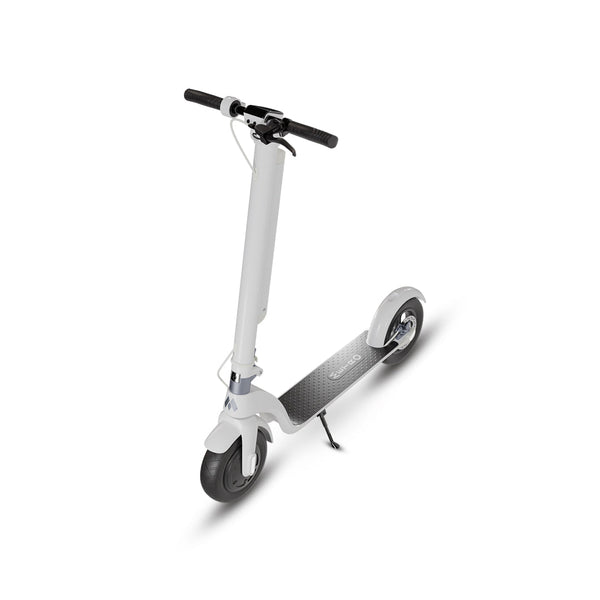
Quick answer: Electric-scooter “app control” is not one feature. A command may travel from a phone app over nearby Bluetooth to a scooter controller, while another function may require an account, an internet connection, a manufacturer server, location services, or particular firmware. To understand what an app can really do, trace each claimed function through its hardware, connection, permissions, authentication, software, and failure behavior.
Reviewed September 20, 2026. App listings, phone requirements, permissions, services, and firmware can change. Follow the exact current manual and official app listing for the scooter being evaluated. The examples below are architectural possibilities, not claims that a current Metro scooter provides app control or any particular app function.
The parts of an app-connected scooter system
A connected scooter system can contain several separate parts. A product does not necessarily include all of them.
- Scooter controls and sensors: Physical controls, displays, and sensors produce or receive information. Their exact roles depend on the product design.
- Scooter controller: One or more embedded control units interpret inputs and manage permitted scooter functions. The phone does not replace the scooter's physical control system.
- Wireless radio: A Bluetooth radio may create a nearby data link. Bluetooth alone does not establish which commands are supported.
- Phone and operating system: The phone supplies the app environment and controls permissions such as nearby-device, Bluetooth, notification, or location access.
- Mobile app: The app presents controls and readings, stores settings, and exchanges supported data with the scooter or an online service.
- Optional account and cloud service: Some designs use a login or internet service for data storage, synchronization, support, or other documented functions. A Bluetooth link does not prove that a cloud service exists, and an app account does not prove that the scooter has its own internet connection.
- Firmware: Embedded scooter software determines what the hardware can do and how it communicates. Phone-app and scooter-firmware versions may need to be compatible.
The Android Bluetooth overview describes the general local sequence as finding a nearby device, connecting to it, and transferring data. That sequence establishes a communications path; the exact product documentation must still identify the data and commands the scooter supports.
Trace one function from request to result
Before relying on any advertised function, ask the seller to document its complete path. Use a separate row for every function rather than treating “app control” as a blanket answer.
| Verification question | What to record |
|---|---|
| Where does the request begin? | Physical control, scooter display, phone app, website, or another documented interface |
| What connection carries it? | Nearby Bluetooth, phone internet, scooter cellular connection, Wi-Fi, cable, or another stated path |
| What identity check is required? | Pairing, passcode, app account, device ownership, two-factor authentication, or none stated |
| Which software versions are required? | App, phone operating system, and scooter firmware versions |
| Where is the command processed? | Phone, scooter controller, manufacturer server, or a combination |
| How is success confirmed? | Visible scooter state, display message, app acknowledgement, or another repeatable observation |
| What happens when a dependency fails? | Document behavior when the phone, Bluetooth, internet, account, server, or update is unavailable |
A screen changing inside an app is not, by itself, proof that the scooter received and applied a command. A useful test observes both ends of the path and records the versions and conditions.
Local Bluetooth control and remote control are different
A nearby Bluetooth connection normally depends on the phone and scooter being within reliable radio range. The Bluetooth Special Interest Group explains that effective range varies with the selected physical layer, transmit power, receiver sensitivity, antenna design, path loss, and obstacles. There is no universal scooter-app distance. See the Bluetooth SIG explanation of range.
A function advertised as available from far away needs more than a local Bluetooth link. Ask which device has the internet connection, whether a manufacturer server relays the request, whether a subscription or account is required, where the service operates, and what happens when coverage or the server is unavailable. Do not infer GPS, cellular hardware, tracking, theft recovery, or “control from anywhere” from the presence of an app.
Phone permissions are part of the system
The operating system can block a connection when required permission has not been granted. Apple says that apps on iOS 13 and later generally must request permission to use Bluetooth functions, and that users can review Bluetooth access under Privacy & Security settings. See Apple's privacy and Bluetooth guidance.
For apps targeting Android 12 or later, Android documents separate runtime permissions for scanning for nearby Bluetooth devices, advertising to them, and communicating with paired devices. It also distinguishes cases in which an app uses scan results to derive physical location. See Android's Bluetooth permissions documentation.
A permission request establishes what access an app is asking the phone to grant. It does not prove that the request is necessary, that a feature will work, or that off-device data handling is appropriate. Compare the prompt with the official function description and privacy policy before accepting it.
Pairing, authentication, and ownership
Pairing allows compatible devices to establish a relationship for communication. Authentication determines who or what is permitted to use an interface or account. They are related but not interchangeable.
Before purchase, ask:
- Can an unpaired phone discover the scooter, and what information is visible?
- What proves that a person is authorized to bind or control the scooter?
- Can more than one phone or account be associated with it?
- How is an old phone, prior owner, or lost account removed?
- Is there a recovery process, and what proof of ownership does it require?
- Are sensitive commands restricted when the scooter is moving?
For internet-connected products, the NIST IoT Device Cybersecurity Capability Core Baseline identifies logical access control, data protection, device configuration, software update, and cybersecurity-state awareness as useful starting points for defining security requirements. The baseline is general guidance; it does not certify any scooter or app.
Firmware determines scooter-side behavior
Firmware is software embedded in the scooter's electronics. An app may present an option that requires a compatible firmware version before the scooter can interpret it. Conversely, an app update can change the interface or stop supporting an older phone operating system.
Ask for the documented update process:
- Which component receives updates—the phone app, scooter firmware, or both?
- Who is authorized to issue and install an update?
- How is the update verified before installation?
- Must the scooter be stationary, charged to a stated level, or connected in a particular way?
- What should the owner do if power or connectivity is interrupted?
- Can the prior working version be restored, and who performs recovery?
- How long does the manufacturer state that updates and service will be available?
NIST describes secure, configurable software updating by authorized entities as a baseline capability for connected devices. That framework is a checklist source, not evidence that an individual product uses a secure update mechanism.
What happens offline?
“Offline” can describe several different failures. Test them separately while following the manufacturer's setup and safety instructions:
- Phone absent: Confirm which essential scooter controls and status indications still work without a phone.
- Bluetooth unavailable: Turn off Bluetooth while the scooter is stationary and record the app and scooter response.
- Internet unavailable: Disable mobile data and Wi-Fi, then test only the documented functions that are safe to test while stationary.
- Account signed out: Record whether local functions remain available and how the owner regains access.
- Service unavailable: Ask the manufacturer how cloud-dependent functions fail and how service status is communicated.
- Phone battery depleted: Confirm that the documented physical riding and stopping controls remain available.
Do not change app settings or interact with a phone while riding. Configure and test the system while stationary in a suitable location.
Privacy checklist
An app-store privacy disclosure is useful, but it is supplied by the developer and should be read with the current privacy policy and the permissions the app actually requests. Record:
- the app's exact name, publisher, store link, version, and update date;
- the legal entity operating the app and a working contact route;
- data collected from the account, phone, scooter, diagnostics, usage, and location;
- whether data stays on the phone or is sent to another system;
- the stated purpose, sharing, retention, and security practices;
- how to obtain a copy of data and correct or delete it;
- what must be removed before selling or transferring the scooter; and
- what happens to stored data if app or cloud support ends.
Apple requires App Store apps that support account creation to let users initiate account deletion in the app. Google Play states that apps offering in-app account creation must provide both an in-app deletion path and a web resource for requesting deletion. See Apple's account-deletion guidance and Google Play's account-deletion requirements. Verify that the paths shown for the specific app actually work.
Security checklist for a connected scooter
- Use a unique account password and enable an additional authentication factor if the service offers one.
- Do not share pairing codes, recovery codes, or ownership-transfer credentials.
- Install updates through the official app-store or manufacturer route after reviewing the instructions.
- Remove access for old phones and prior users.
- Review permissions after an app update rather than assuming they remain unchanged.
- Know how to report a security problem and how the manufacturer communicates fixes.
- Before resale or disposal, follow the documented unbinding, reset, account, and data-deletion process.
The Federal Trade Commission's connected-device guidance recommends replacing default credentials, avoiding password reuse, using two-factor authentication when offered, enabling security features, and checking for software updates. Apply only the steps that the exact product officially supports.
A repeatable stationary verification record
- Scooter model and hardware revision: ____________________
- App name, publisher, and official store URL: ____________________
- Phone model and operating system: ____________________
- App and scooter firmware versions: ____________________
- Function being tested: ____________________
- Required connection and permissions: ____________________
- Account or subscription dependency: ____________________
- Observed scooter-side result: ____________________
- Bluetooth-off result: ____________________
- Internet-off result: ____________________
- Signed-out result: ____________________
- Recovery and support route: ____________________
- Test date and evidence saved: ____________________
Primary sources
- Android Developers: Bluetooth Overview
- Android Developers: Bluetooth Permissions
- Apple Support: Privacy, Location Services, and Bluetooth Permission
- Bluetooth SIG: Understanding Bluetooth Range
- NIST IR 8259A: IoT Device Cybersecurity Capability Core Baseline
- Federal Trade Commission: Securing Internet-Connected Devices
- Apple Developer: Offering Account Deletion in Your App
- Google Play: App Account Deletion Requirements